
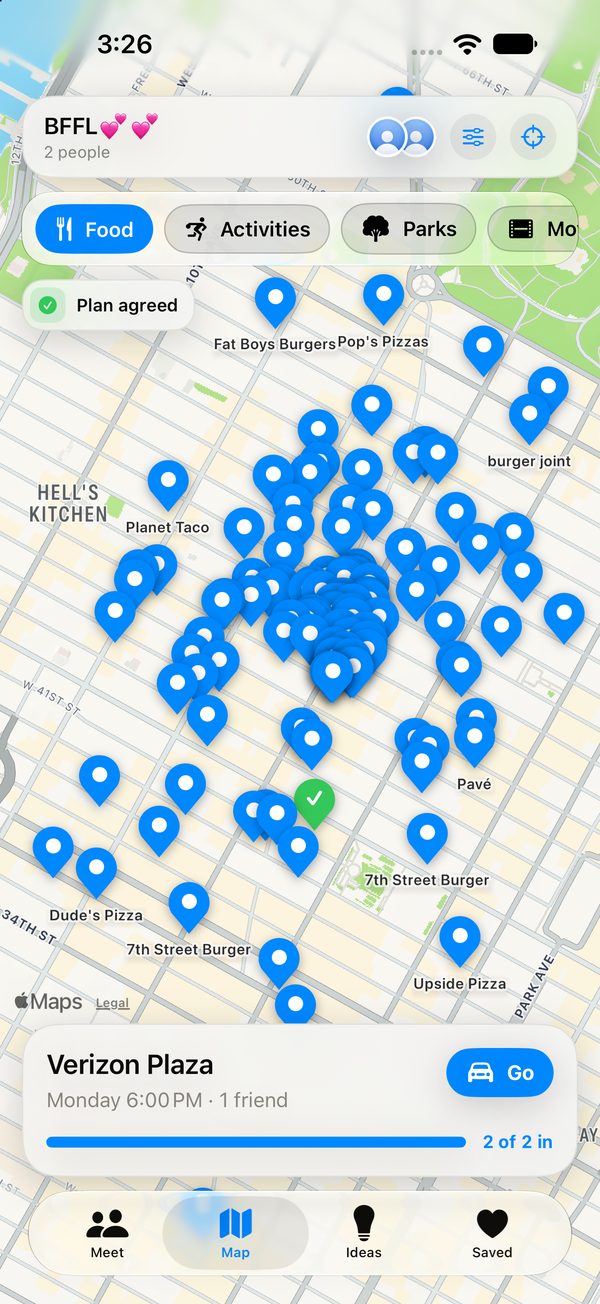
See every fair place on the map
Pins for food, activities, parks, movies, shopping and hotels, with the agreed plan always one tap away.
Find a place that’s fair for everyone to get to. Make the plan together. Keep where you are to yourself.
How it works
Three steps, no group-chat tug of war.
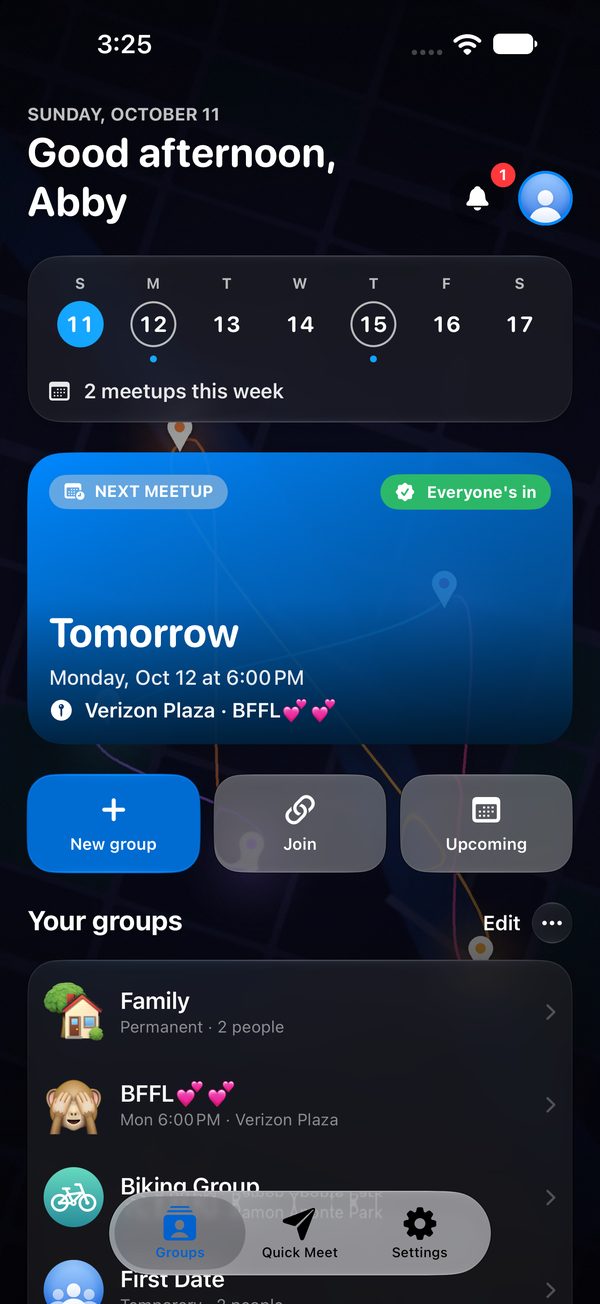
Start a private space for your people. Each group keeps its own map, places and plans.
Send a link, share a code or invite by username. Every invite expires after one hour.
Everyone shares where they’re starting from, whether by car, on foot, by bike or on transit, and Split Drive finds places that are fair for all of you.
See it in action
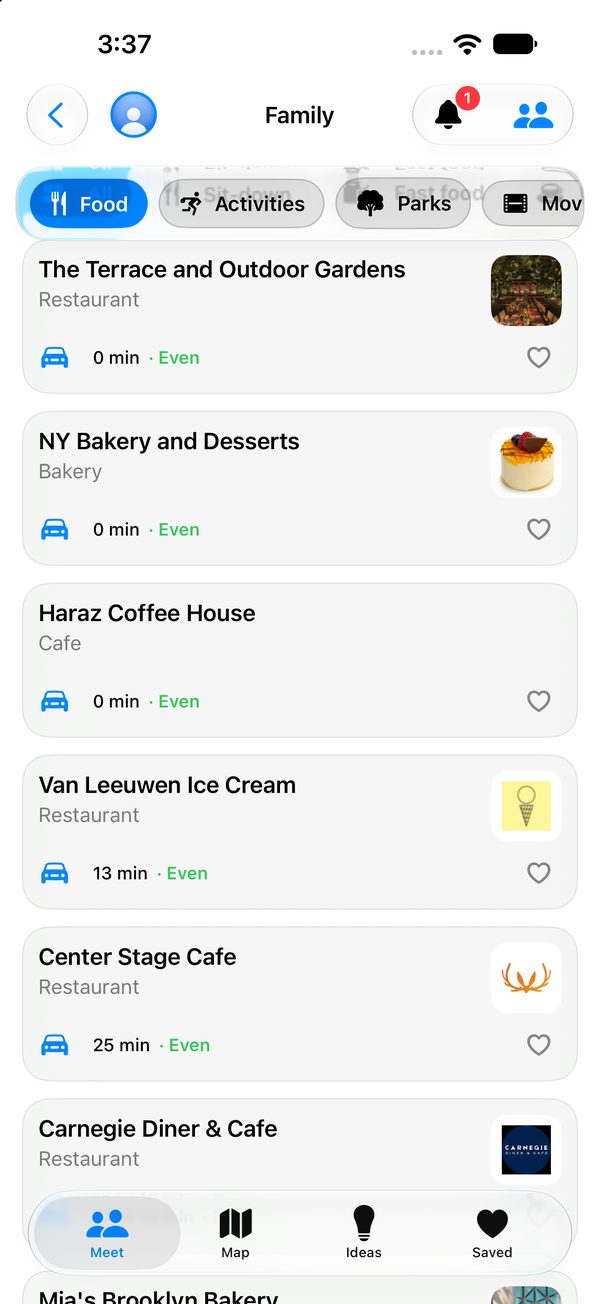
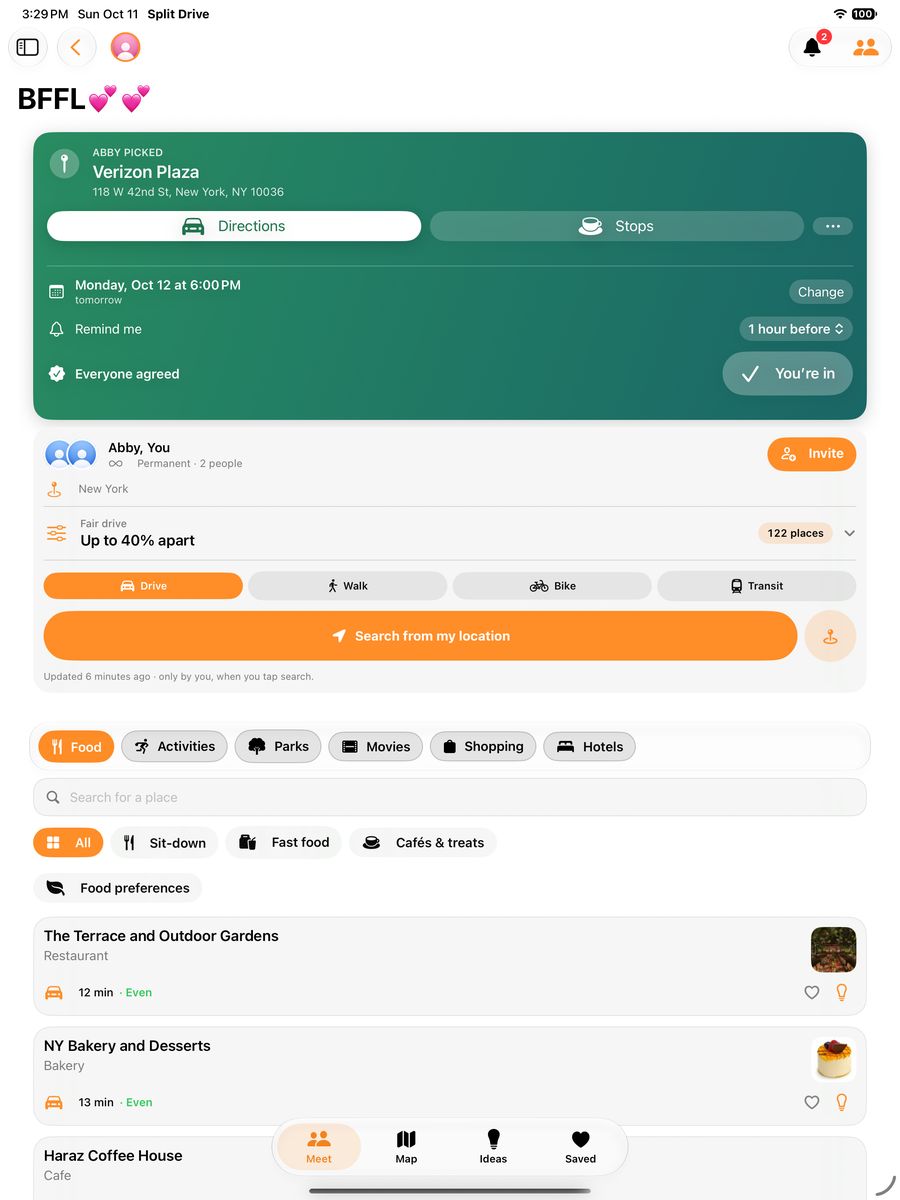
Every place is ranked by the shortest total drive, and only places that are fair for everyone make the list.
Pins for food, activities, parks, movies, shopping and hotels, with the agreed plan always one tap away.
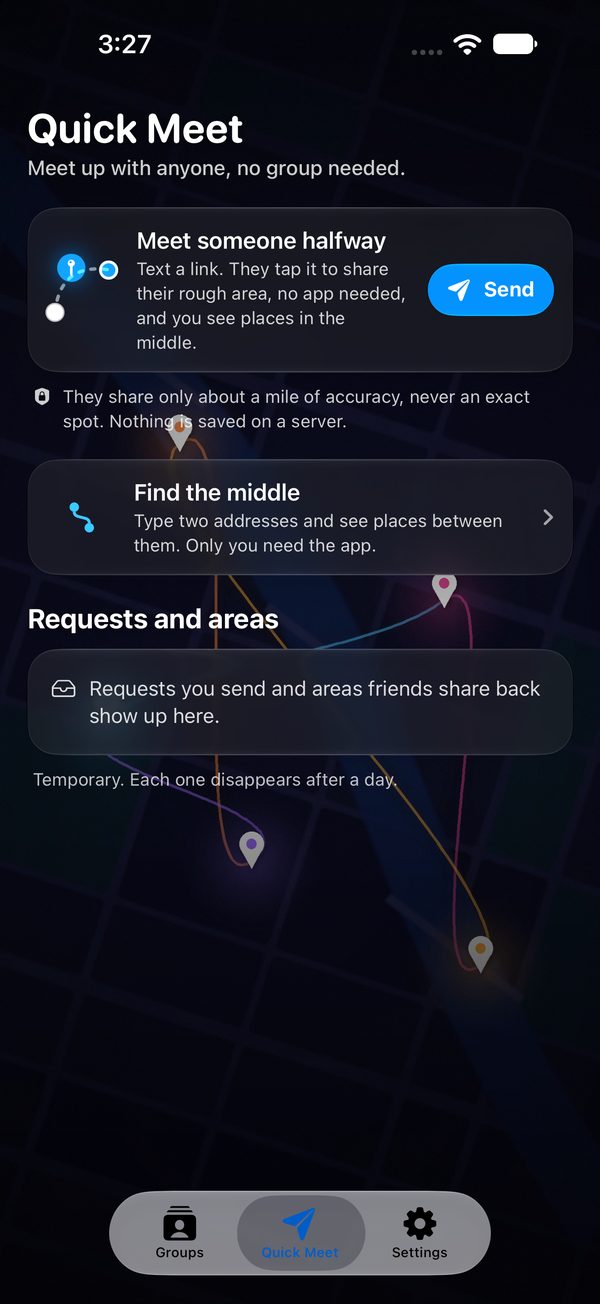
Text a link to someone who does not have the app. They share a rough area, you see places in the middle.
A roomy layout for planning on the couch: the group’s agreed plan, everyone’s travel options and nearby places side by side, with the tabs right where your thumb is.
Made for small groups
Split Drive helps friends decide where to go without turning private plans into someone else’s data.
See how long each place takes for each person, then pick one nobody has to sacrifice for.
Drive, walk, bike or take transit. Everyone’s times follow how they’ll really travel.
Friends see your city, never your exact location. It updates only when you ask.
Keep everyone’s picks in one place. Rate the options and agree on what’s next.
Add a plan to Calendar, glance at the Home Screen widget or follow a Live Activity on the Lock Screen.
Block or report anyone. Hide your photo from non-friends and switch off search discoverability.
The privacy promise
Group data is encrypted so even Split Drive’s servers can’t read it.
Quick answers
Invites expire one hour after they’re made. Ask the person who invited you to open the group, tap Invite, and make a new code or link.
No. Your group sees only your city. Your exact location is encrypted on your phone, and it’s only updated when you tap “Search from my location” or set an address yourself.
Open Quick Meet and tap Send. Your friend gets a link by text. Tapping it lets them share their rough area without installing anything, and you see places in the middle.
Subscribe to Split Drive Plus in Settings. It’s a yearly subscription that removes ads and unlocks more groups.
More in Support, or email support@redbrooklabs.com.
Split Drive is coming soon to iPhone and iPad.
More from Redbrook Labs. Also made here: CE Compass, a continuing education tracker.
